
Send to Mac/Android
Move files between your Mac and Android phone.
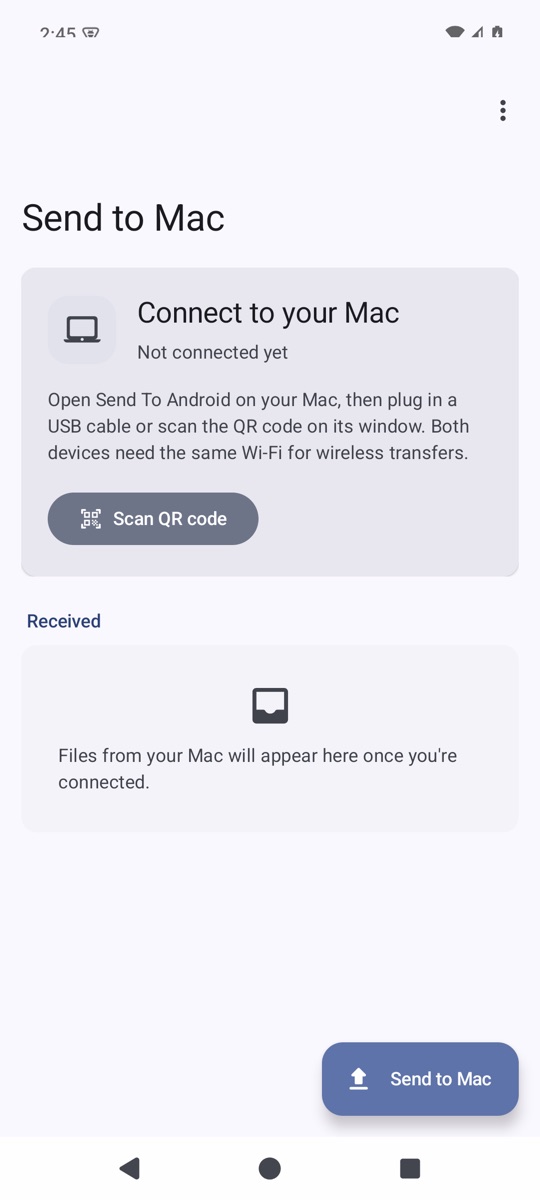
Send To Android runs on the Mac and Send to Mac runs on the phone. Drop files on one side and they arrive on the other, over Wi-Fi or a USB cable.
What it does
Wi-Fi or USB
Use the same network, or plug in a cable.
Pair with a QR code
Scan the code on your Mac to connect.
Works without the phone app
The phone's browser can open the transfer page instead.
Drag and drop
Drop files on the Mac window, or use Send to Mac from Android's share sheet.
Getting started
- Open Send To Android on the Mac.
- Install Send to Mac on the phone, or skip it and use the phone's browser.
- Join the same Wi-Fi, then scan the QR code shown on the Mac.
- Drop files to send. Files from the phone land in Downloads, in the Send To Android folder.
Good to know
- Over Wi-Fi, files travel on your local network without extra encryption, so use a network you trust.
- USB needs USB debugging and adb on the Mac.
File checksums (SHA-256)
- SendToMacAndroid-3.0-mac.zip
eaa8ba38e4f34abc7c68064b238e6746e4f9c3bfb0302bb0971d3db411dc2fd4- SendToMacAndroid-3.0-android.apk
d3577f8796cc8e442e65ed64156ab8017c5506a1648ccec35e8e40f41d9f4374